Warranties and maintenance
Warranty coverage with proof attached, terms looked up for you, and maintenance logged and tracked from a sentence.
By the end of this guide you’ll know how warranty coverage and maintenance history are tracked in your home’s record — how to look up terms, what “expiring soon” actually checks, and how to log a repair without opening a form.
Warranty records, with proof attached
Every warranty you record can carry the document that proves it — a receipt, a registration confirmation — alongside its coverage status, right on the asset itself. Standard manufacturer coverage and satisfaction-guarantee coverage are both supported, so a return-window guarantee and a five-year parts warranty live in the same place. Coverage status is computed rather than something you maintain by hand: once the record is in, the asset page keeps its own “still covered” reading current on its own.
Ask her to look up the terms
Rather than typing in warranty length and coverage by hand, ask her to find it — the same Charyl Cloud research behind adding an appliance from a photo.
- Try: “Can you look up the warranty terms for my water heater?”
When she’s confident in what she finds — length, what’s covered, where to register — she’ll draft the warranty record for you to approve. When she’s less sure, she’ll still tell you what she found, just as information to weigh rather than a record ready to file, so a vague or unusual model number doesn’t leave you with nothing at all. Either way, you decide what actually gets recorded.
What “expiring soon” catches, and what it doesn’t
Ask what’s expiring and she’ll check every warranty on file against a window you set, soonest-ending first.
- Try: “What’s expiring soon on my warranties?”
One honest limit
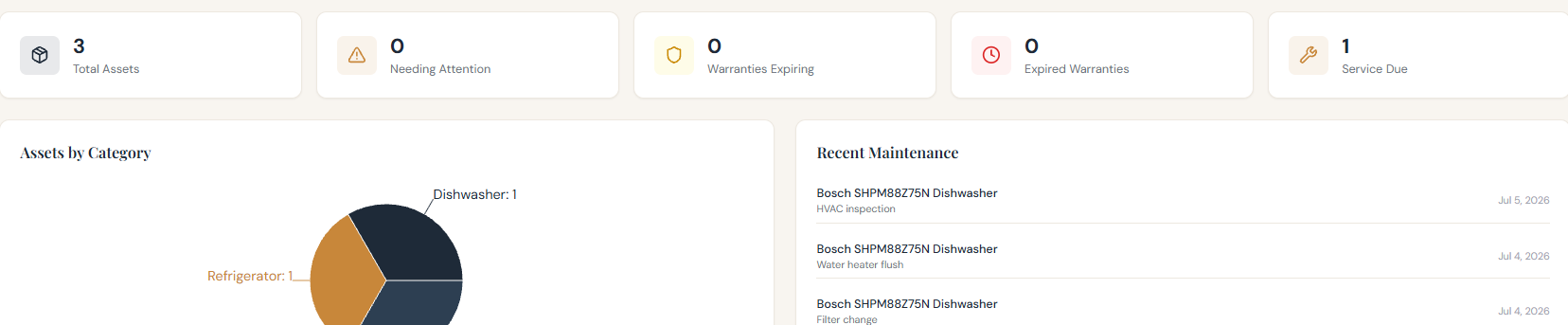
“Expiring soon” looks forward only — it catches coverage that’s still active and ending soon, not coverage that’s already lapsed. A warranty you let expire without noticing won’t show up when you ask what’s expiring, because by then it isn’t expiring, it’s expired. The inventory summary on the Today tab of the web app’s Home page tracks that separately, as its own count.
Log a repair in a sentence
Maintenance doesn’t need a form if you’d rather just say what happened.
- Try: “I had the furnace serviced today by Acme Heating.”
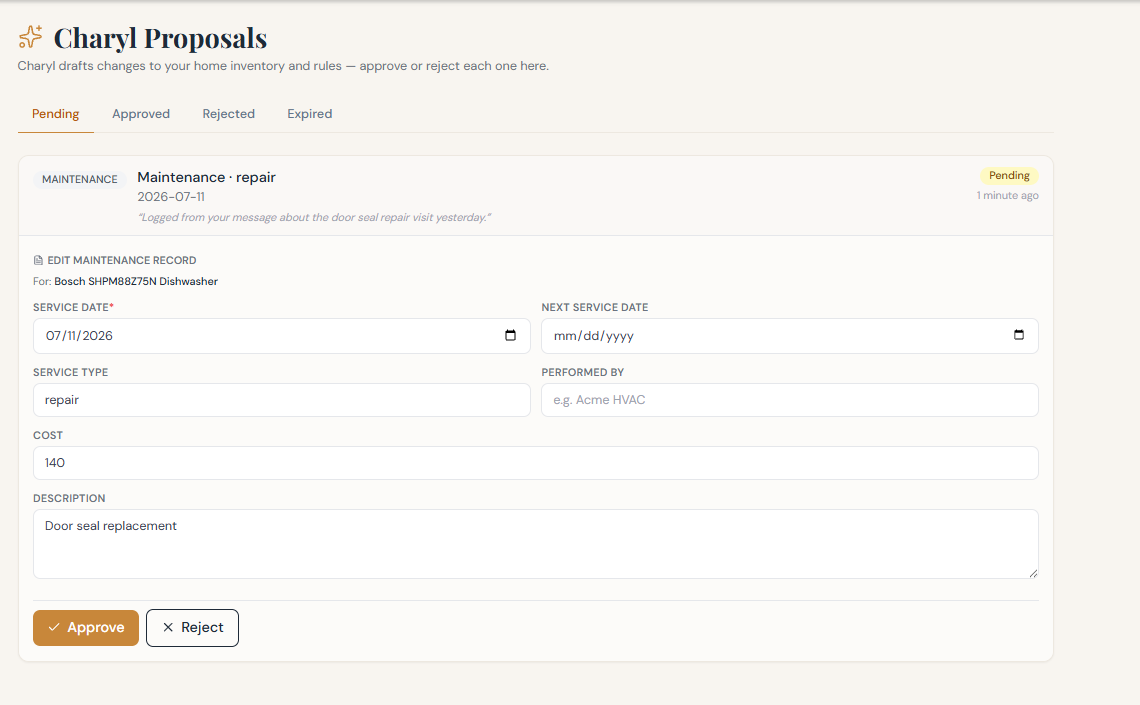
She drafts a service record from that sentence — what, when, by whom — and it waits on the Review page like anything else she drafts. Logging this way is create-only: if you need to edit or delete a service record afterward, that happens on the record’s own page rather than back in the conversation.
What’s due, and what’s overdue
Ask how the home is doing overall, and maintenance that’s coming due, or already overdue, surfaces without you having to go looking for it room by room.
- Try: “What maintenance is overdue?”
Overdue items are flagged and sorted to the front, not buried behind what’s merely upcoming.
Or ask about everything at once
You don’t have to ask about warranties and maintenance separately. A broader question pulls both together, alongside anything else worth a look.
- Try: “How’s my home doing overall — anything I should deal with?”
Reviewing what she’s drafted
Every warranty and every service record she drafts lands in the same place: the Review page, sorted into Pending, Approved, Rejected, and Expired. A pending card shows exactly what she’s proposing — service date, cost, who did the work — before you commit to it, with the underlying record open right there for editing if she got a detail slightly off.
Nothing here is exclusive to warranties and maintenance, either — the same review page is where every other kind of proposal she drafts waits too, from a new appliance to a filed document, so once this page is familiar the rest of the product follows the same rhythm.