Your smart home, by conversation
How to ask Charyl about your lights, switches, and fans, read any device's state, and where the boundaries are.
Talking to Charyl about your smart home works the same everywhere she’s available — the web dock, the full-page chat, or the mobile app. Ask her about a device, a sensor, or a camera in plain language, and she resolves it against your actual home rather than a generic list of possibilities.
What she can act on
Charyl can switch, dim, recolor, and set the color temperature or a preset on lights, switches, and fans — comfort and convenience, not the systems that secure the house. A few examples of what that looks like in practice:
- “Turn off the living room lights.”
- “Dim the bedroom lights to 30 percent.”
- “Set the porch light to warm white.”
- “Turn the bedroom fan to medium.”
Each of these resolves to a specific device, and each one waits for your confirmation before anything actually changes.
-
Ask
Describe what you want in plain language — by room, by name, or by what it does. She figures out which device you mean.
-
Confirm
She shows you exactly what she’s about to do and waits for a tap. Nothing changes on the strength of your message alone.
-
Done — one tap, one action
Your tap covers exactly the action she showed you: confirming “dim the lamp to 20%” can’t be used to set it to 100%. The next command, even for the same light, asks again.
Example exchange reproducible
Is the garage light still on?
Charyl
It is — the garage ceiling light has been on since 6:42 this evening.
Turn it off.
Charyl
Ready when you are.
Turn off Garage Ceiling
Charyl
Done. The garage is dark.
Illustrative — reproducible against what Charyl can do today; answers depend on your home's records.
Reading state is always fair game
Asking about a device is never restricted, no matter what kind of device it is. “Is the back door locked” and “is the garage open” are always answerable, straight from the device’s own reported state. If a reading is missing or stale, she says so rather than guessing — the boundary below is only about acting, never about asking.
What she won’t do, and why
Charyl will not lock or unlock a door, open or close a garage door, or move a cover or blind, in any conversation. These actions are excluded outright, not merely gated behind an extra confirmation. Those go through the app’s own device controls instead, in the web app or the mobile app. Unlocking a door asks you to confirm first, and only Admin, Homeowner and Resident logins can unlock or open — guests can’t.
Thermostat and HVAC control isn’t available at all yet, through Charyl or through the app directly. It isn’t a Charyl-specific gap — nobody can do it through the product today.
If a page or document was just involved
If the turn you’re on already pulled in something from outside your message — a lookup, a fetched document — Charyl refuses a device action outright until you ask again in a fresh message. It’s a deliberate defense: content she looked up on your behalf can’t ride along with a command of its own.
Sensors, in summary
Temperature, humidity, pressure, light, and presence all answer in conversation as summaries — an average, a range, whether a space is occupied — rather than a raw feed:
- “What was the average kitchen temperature today?”
- “Has anyone been in the garage in the last hour?”
Both come back as an answer in the reply itself, not a chart. If you want to watch a trend over time instead of asking for a point-in-time summary, that’s what the sensor cards on your dashboard are built for; see dashboards by conversation for how those get built.
Alongside Home Assistant, not instead of it
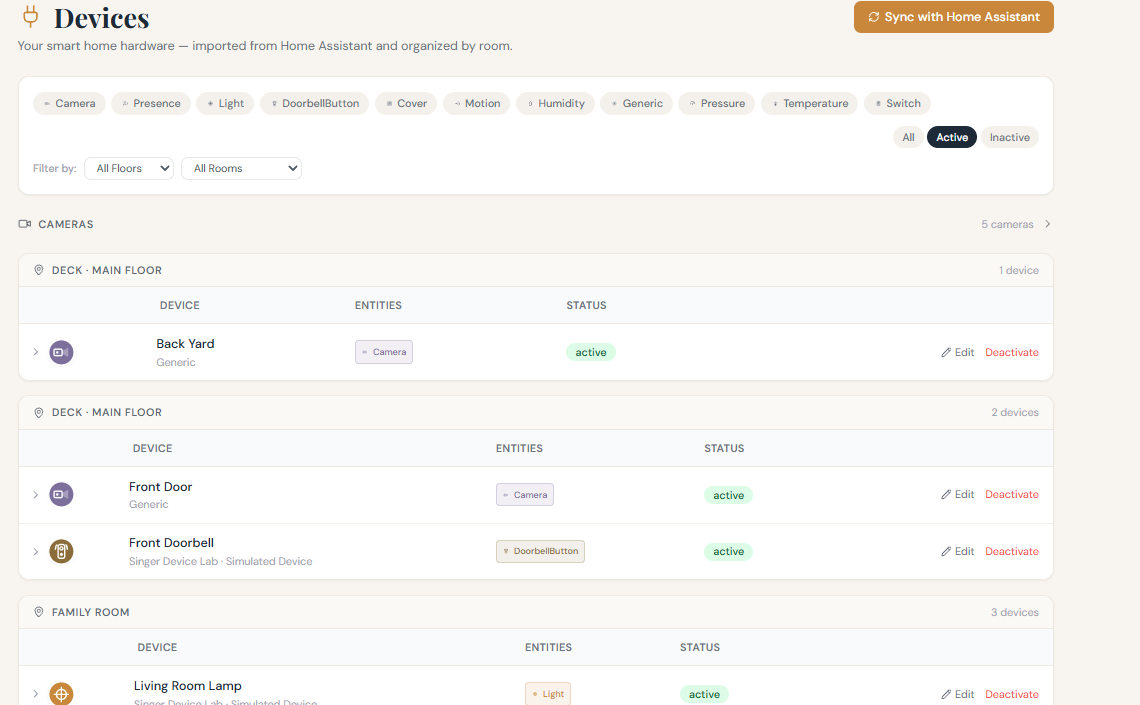
If you already run Home Assistant, connecting it brings its devices into everything above — Charyl reads and, for lights, switches, and fans, acts on them the same way as anything else in your home. Home Assistant keeps doing what it already does; Charyl is a way of talking to it.
Where to go next
For the full picture of what’s controllable today, see what Charyl can control; for how confirmation works in more depth, see why she asks you to confirm. For cameras, which follow their own rules, see the cameras guide.